
Executable Stories
Write it once.
Prove it every run.
Your tests already describe how the product behaves. Mark the steps, and the run that proves it also publishes it: for your team, your repo, and your agents.
- Keep your runner, assertions, and CI
- No feature files, no step matching
- Adds a reporter and three step markers
 Vitest
 Jest
Jest Playwright
 Cypress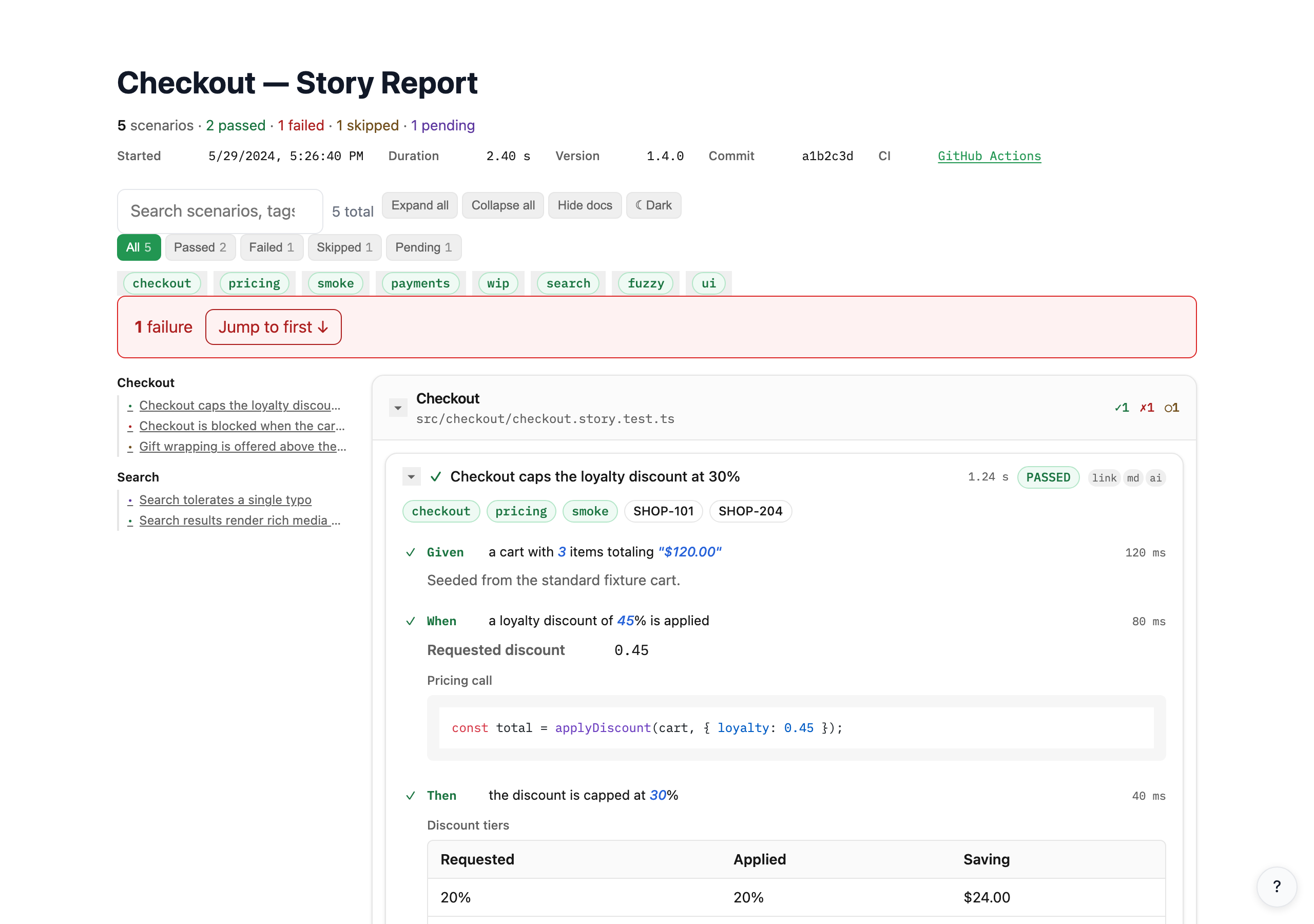
pnpm testWrite. Run. Share.
Two of these you already do. The story markers are the only new part.
story.init(task, { ticket: 'PAY-2847' });story.given('a cart with 3 items');story.when('the payment is submitted');story.then('a receipt is generated');story.table({ label: 'Receipt breakdown', columns: ['Item', 'Qty', 'Total'], rows: [['Widget Pro', '2', '178.00']],});vitest runnpx executable-stories format --format html,markdown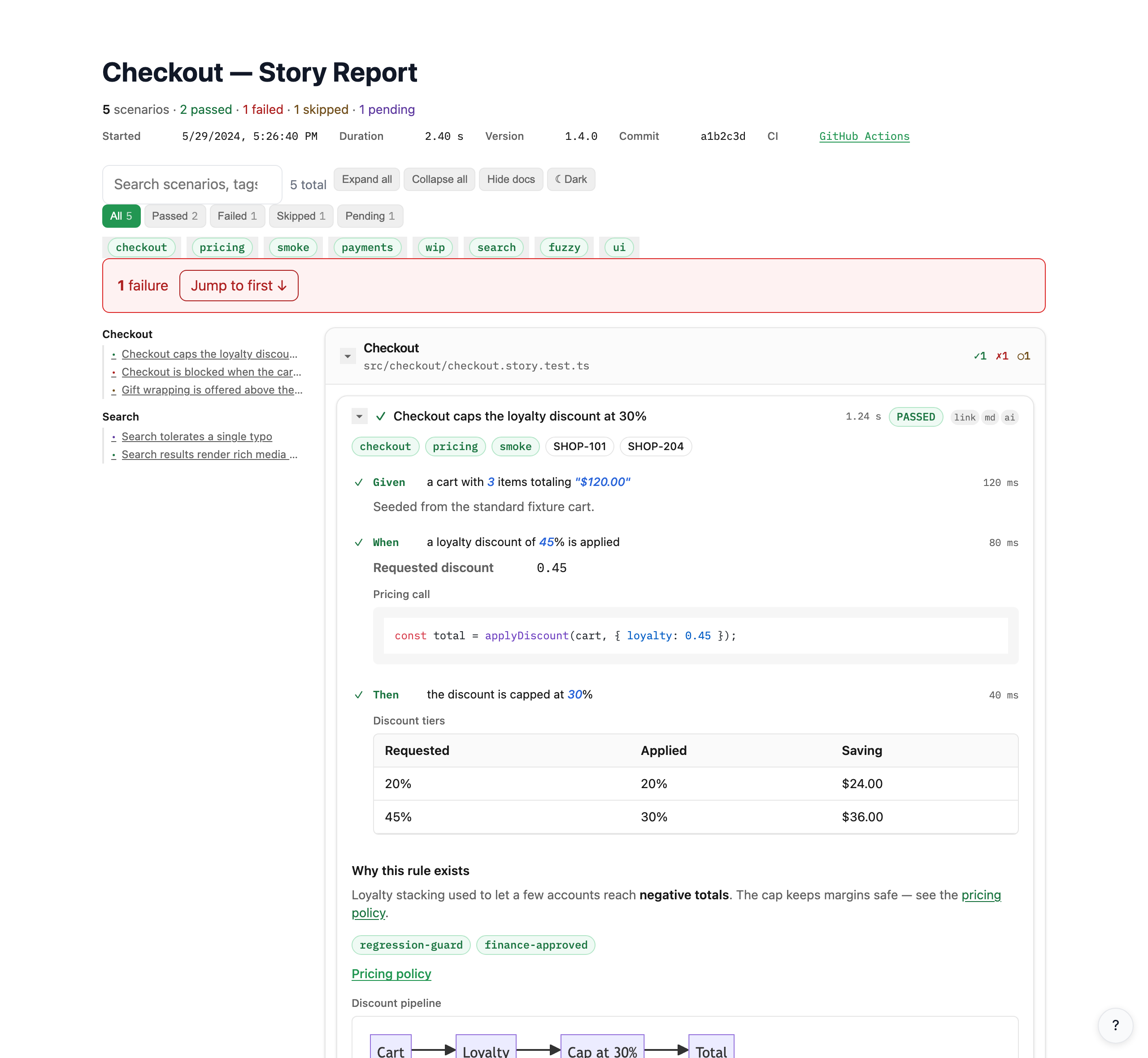
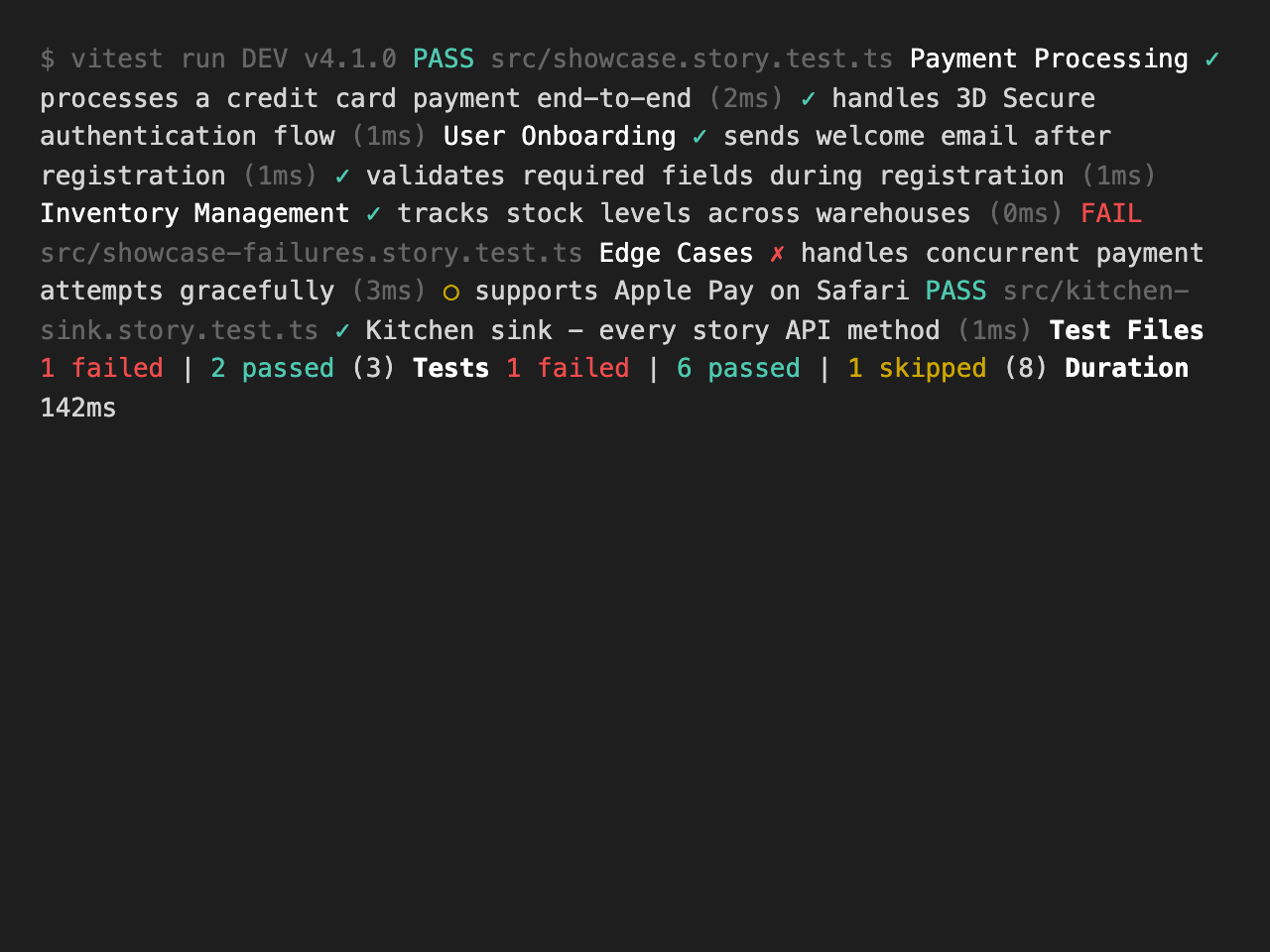
From terminal noise to team documentation
Same test run. Completely different audience.
Behavior catalog for coding agents
Storybook indexes components. Executable Stories indexes behavior scenarios with execution truth: pass, fail, skip, steps, and docs from the last test run.
- Stable StoryReport v1 JSON contract
- Scenario index via
list –list-format json - Read-only MCP tools (
list_scenarios,get_failing_scenarios, …) - Release gates, deployment drift, and tested-together manifests
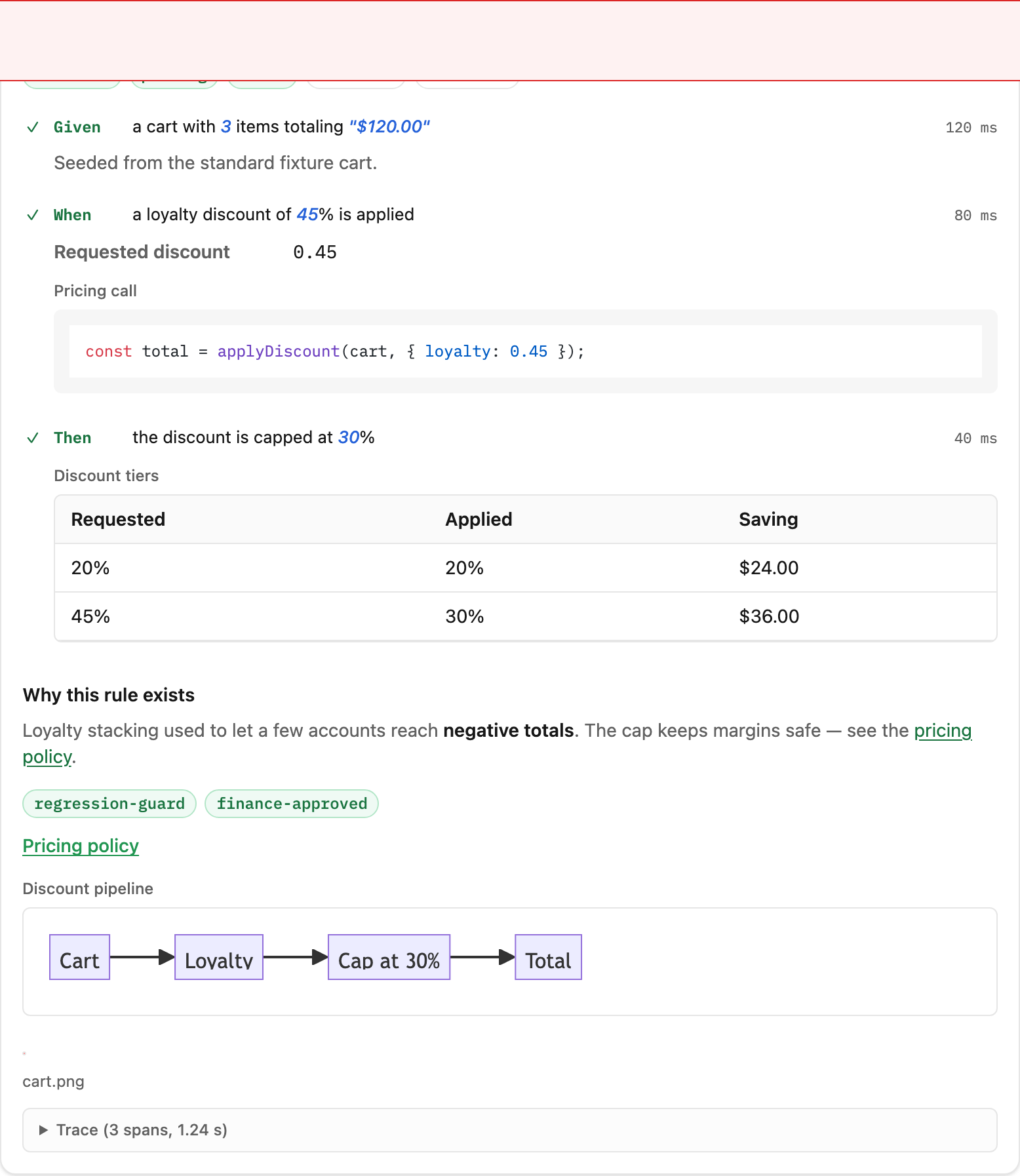
Attach the proof to the step it belongs to
No separate files. No templates. Every doc entry is one line in your test.




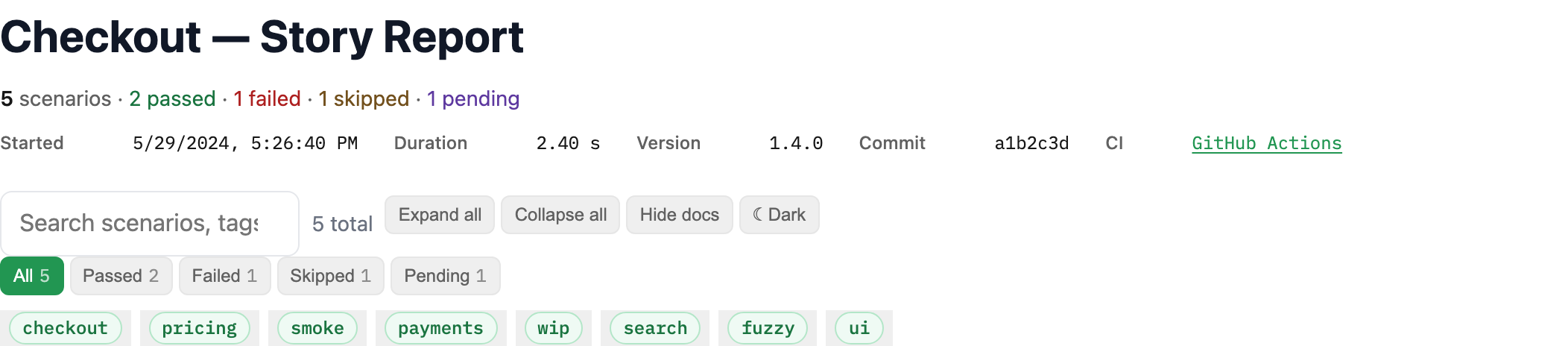
Same tests, different readers
Teach your AI agent to write documentation for your audience.
Feature: User Authentication

Scenario: User logs in successfully
  A registered user can access their
  dashboard by entering valid credentials.

  Outcome: User sees personalised dashboard
Business rule: Session expires after 30 min## User logs in successfully
Given a registered user exists in the database
When POST /api/auth/login { email, password }
Then response status is 200
And body contains { token, expiresIn: 1800 }
And session is stored in Redis with TTL 1800sTC-AUTH-001: User logs in successfully
Preconditions:
- User account exists and is active
- Account is not locked (< 5 failed attempts)
Steps:
1. Submit valid credentials
2. Verify 200 response with JWT token
3. Verify session created with correct TTL
4. Verify audit log entry created
Traceability: REQ-AUTH-001, SOC2-CC6.1Built with agent skills: markdown files you drop into your project. Use the 52 shipped here, or write your own.
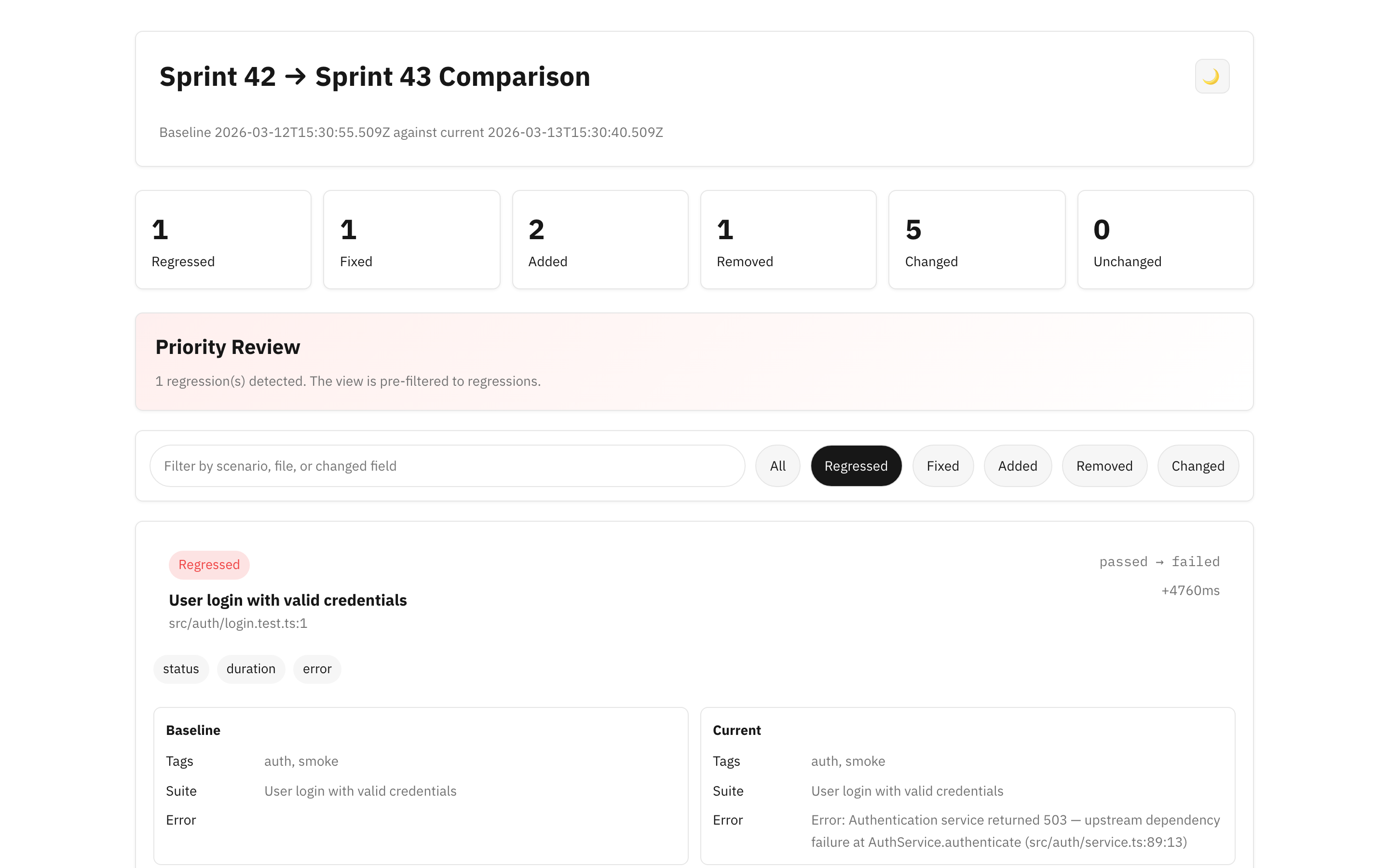
Compare runs across sprints
Generate diff reports to spot regressions, track fixes, and see what changed between any two test runs.
Light, dark, and yours
The report follows the system colour scheme and ships a manual toggle. One –es-* CSS override re-themes the HTML report, the React component, and the Astro site at once. Theming →
Native to your framework
Same API across frameworks. Same report output. 10 languages supported.
import { story, doc } from 'executable-stories-vitest';
it('user logs in', ({ task }) => {  const s = story.init(task);  s.given('a registered user');  s.when('they submit valid credentials');  s.then('they see the dashboard');  s.json({ label: 'Session', value: { role: 'admin' } });});
import { story, given, when, then } from 'executable-stories-jest';
it('user logs in', () => { story.init(); given('a registered user'); when('they submit valid credentials'); then('they see the dashboard'); story.json({ label: 'Session', value: { role: 'admin' } });});import { story, given, when, then } from 'executable-stories-playwright';
test('user logs in', async ({ page }, testInfo) => { story.init(testInfo); given('a registered user'); when('they submit valid credentials'); then('they see the dashboard');});import { story, given, when, then } from 'executable-stories-cypress';
it('user logs in', () => { story.init(); given('a registered user'); when('they submit valid credentials'); then('they see the dashboard');});Output formats
.html HTML Report.md Markdown.release-manifest.md Release Manifest.junit.xml JUnit XML.cucumber.json Cucumber JSON.html Cucumber HTML.ndjson Cucumber MessagesAlso available
 Go
Go Python
 Ruby
Ruby Rust
Rust Kotlin
 C#
C#Get started in under a minute
Add the adapter to the framework you already run. Your tests keep working exactly as they did.
pnpm add -D executable-stories-vitest executable-stories-formattersnpm install -D executable-stories-vitest executable-stories-formattersyarn add -D executable-stories-vitest executable-stories-formattersgem install executable-stories-ruby